How to Choose an AI Rap Video Scene for Your Photo
Published October 25, 2026
Choosing an AI rap video scene begins with the photo, not a long prompt. Look at the subject’s pose and expression, then decide what kind of performance would feel natural. A good AI rap video scene gives the photo a clear role and gives the viewer a simple action to follow. This guide helps you compare performance, dance, and comedy setups before you write a caption.
Check the photo before the scene
Use a clear image with a recognizable subject. Then read the scene instructions, since each template can ask for a different composition or action. An AI rap video scene is easier to choose when the photo already supports the intended mood. Avoid trying to make one image communicate several unrelated ideas at once.
Match the action to your idea
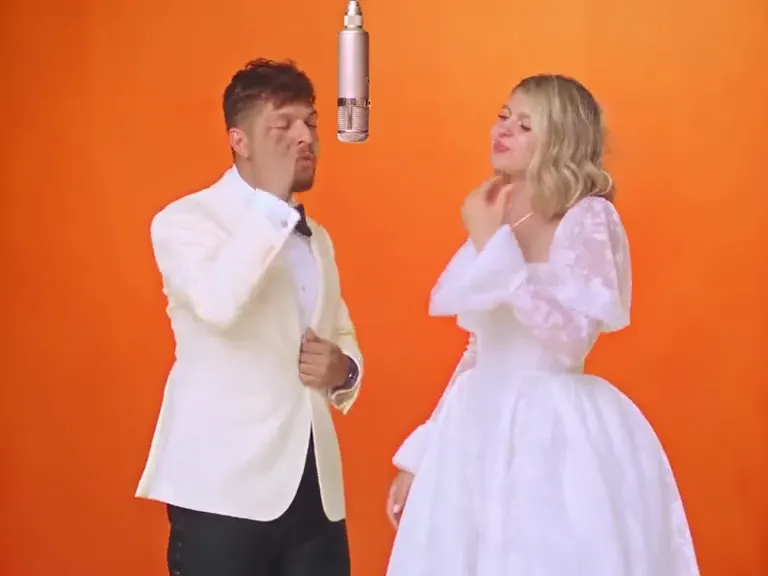
For a direct performance concept, the AI rap video generator puts the subject at a hanging microphone in an orange studio. A dance-based concept has a different rhythm; compare it with A2O Lite Neon Dance. For a more playful musical reference, look at Plug Walk AI Filter or Rumpelstiltskin Meme. Each AI rap video scene has its own visual premise, so choose the one that makes your caption feel natural rather than forcing the same joke into every format.
Write one short caption
Once you choose an AI rap video scene, write a caption that adds one idea: a persona, a punchline, or a little context. Keep the wording short enough to read alongside the clip. Preview the result and ask whether the photo, action, and caption agree. If they do not, change the caption or select a scene that better fits the image.
Share with context
Tell viewers the clip is AI-generated, and use only photos you have permission to upload. A clear note keeps the creative format understandable. The scene should carry most of the story; the caption only needs to help people see why you chose that AI rap video scene.